> For the complete documentation index, see [llms.txt](https://docs.homescriptone.com/llms.txt). Markdown versions of documentation pages are available by appending `.md` to page URLs; this page is available as [Markdown](https://docs.homescriptone.com/wordpress-plugins/doko-bundle-builder-the-ultimate-dynamic-bundle-builder-for-woocommerce/configuration/how-to-display-variable-product-as-a-single-product-instead-of-separate-pro.md).
# How to display variable product as a single product instead of separate ? ( PRO )
By default, Doko Builder plugin separate variations from a variable product as individual product.
On some store, this is not something possible due to some variable product configurations.
In order to be able to see the variable product as a single product, their is a option into the settings page of the plugin.
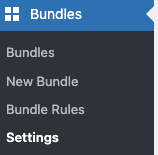
To do so, go to **Bundles > Settings :**
bundle settings
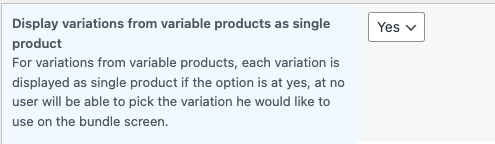
It will redirect on a page where you can customise this option like you want :
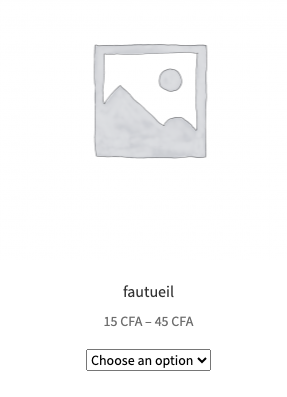
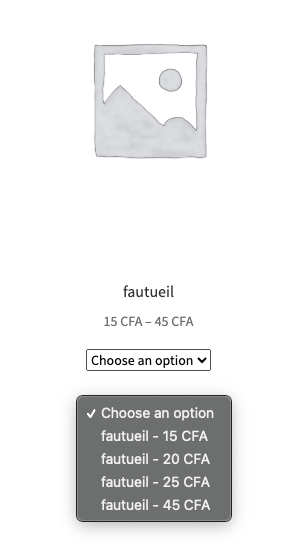
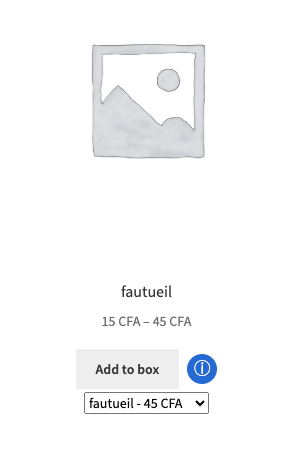
If you define the option to Yes, your custo;ers will be able to see as a single product the variable product and their variations like this :
variable product displayed as a single product
If you define the setting as ***No,*** it will display variations as separate product and hide the main variable product.